



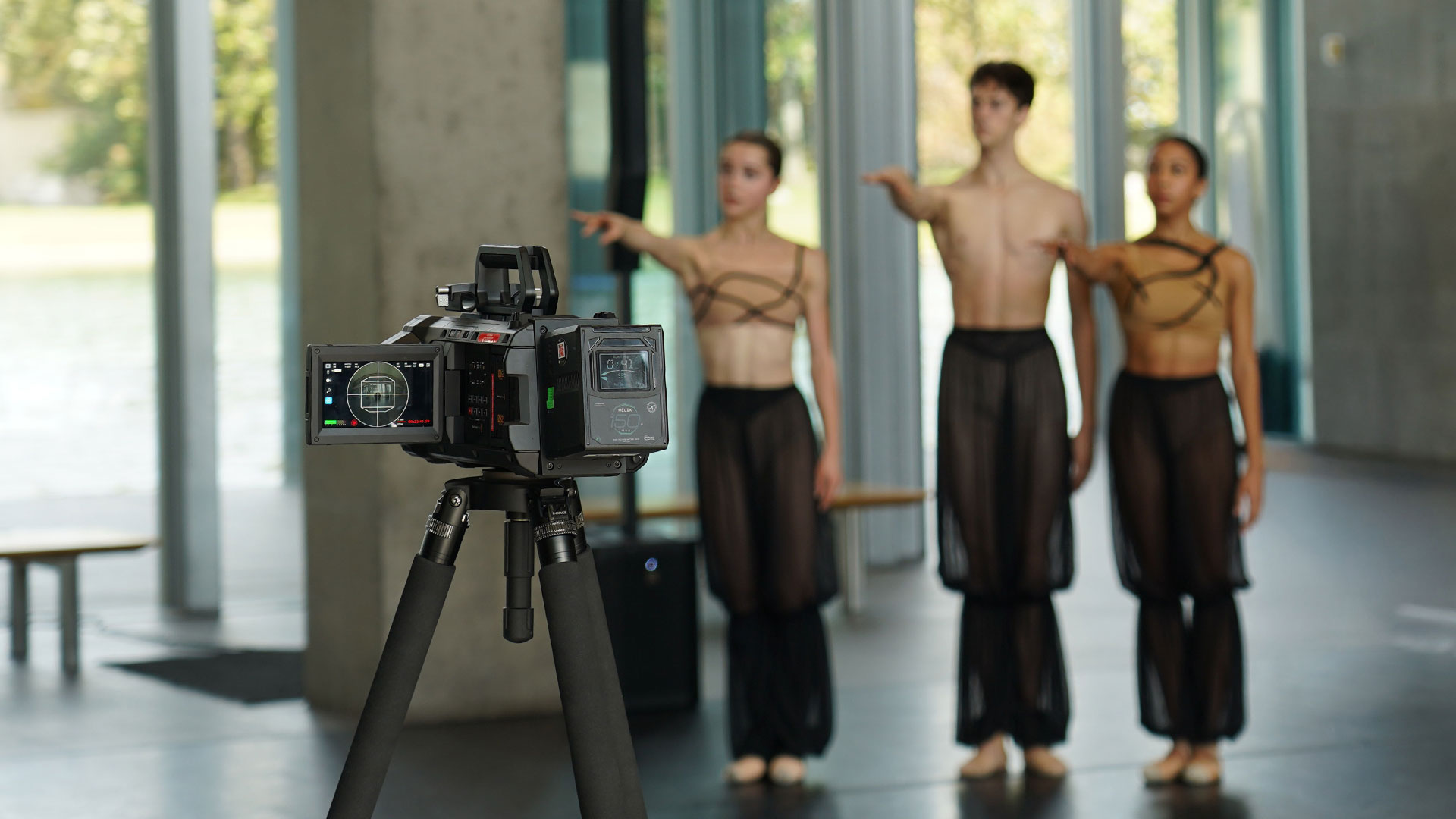
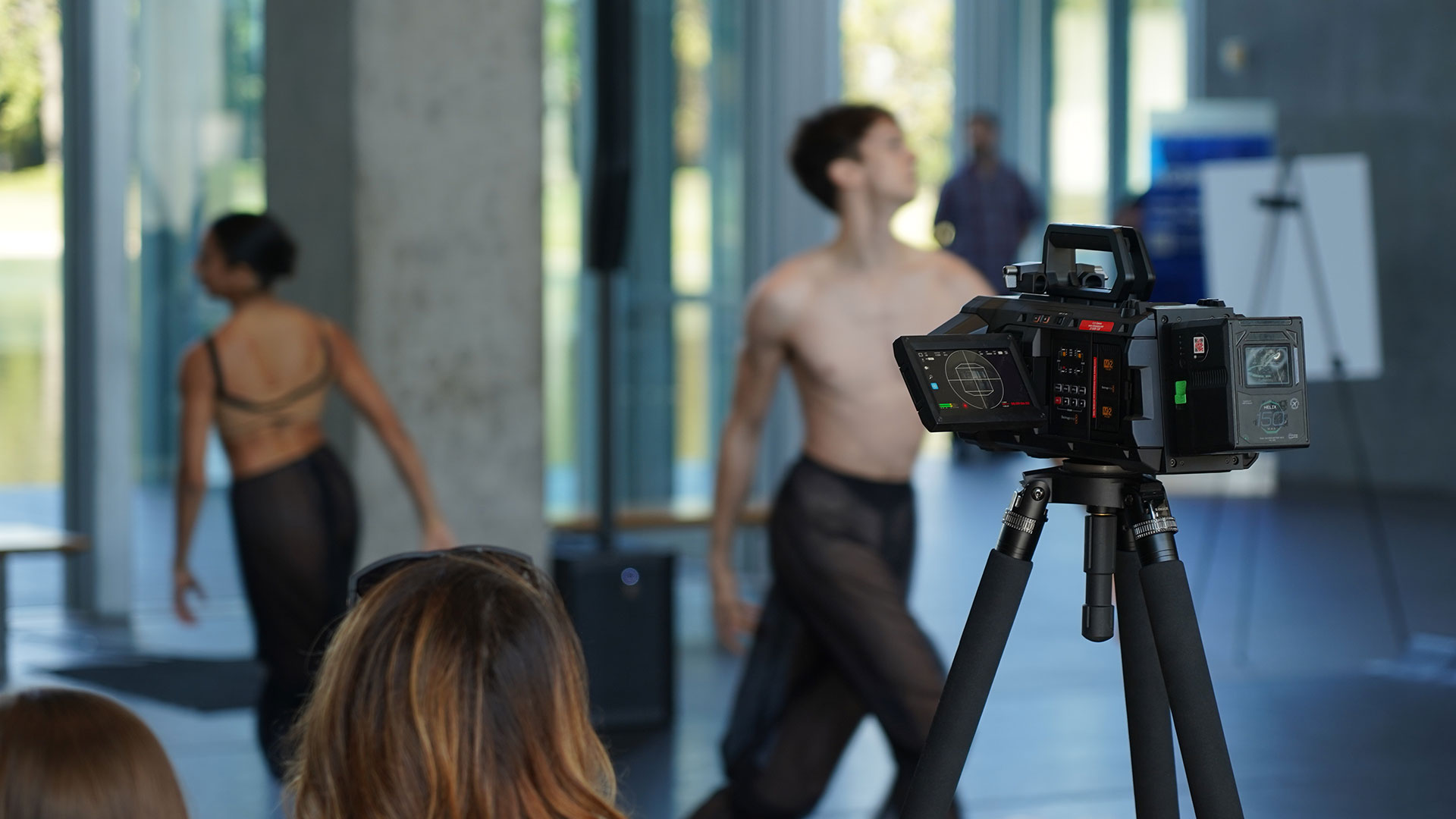
The Blackmagic URSA Cine Immersive camera is a core part of our production toolkit, enabling cinematic, high-resolution capture with exceptional color fidelity and strong low-light performance. Co-designed with Apple, it supports an immersive approach to filming live performance, particularly work defined by subtle movement, spatial relationships, and emotional nuance.
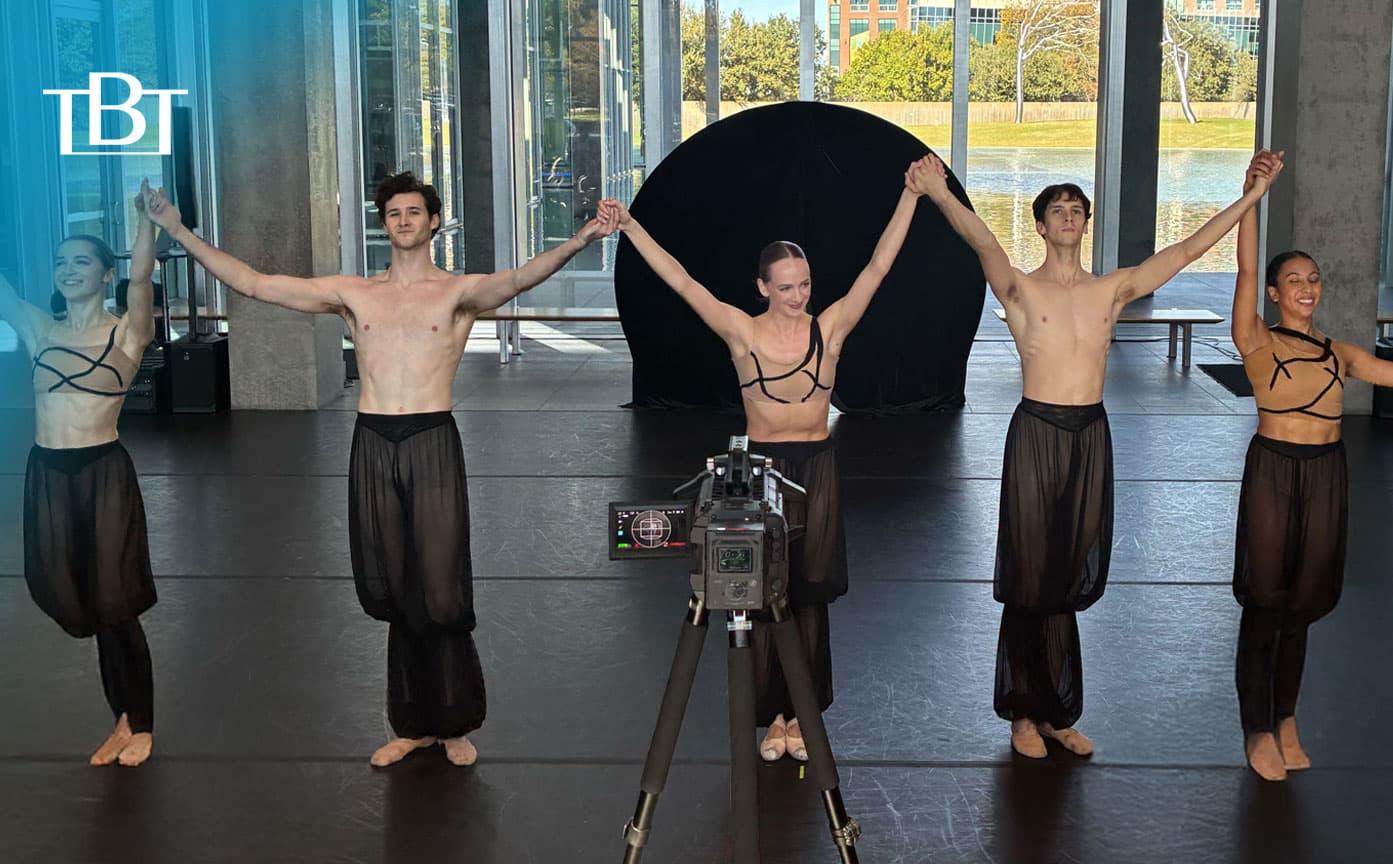
Groove Jones collaborated with Texas Ballet Theater to capture their latest production, Gazes, a contemporary ballet by choreographer Alexandra Light, performed at The Modern Art Museum of Fort Worth. The piece was presented as part of the museum’s ongoing Dance at the Modern series, which brings live dance into a public architectural space and makes it freely accessible to visitors.
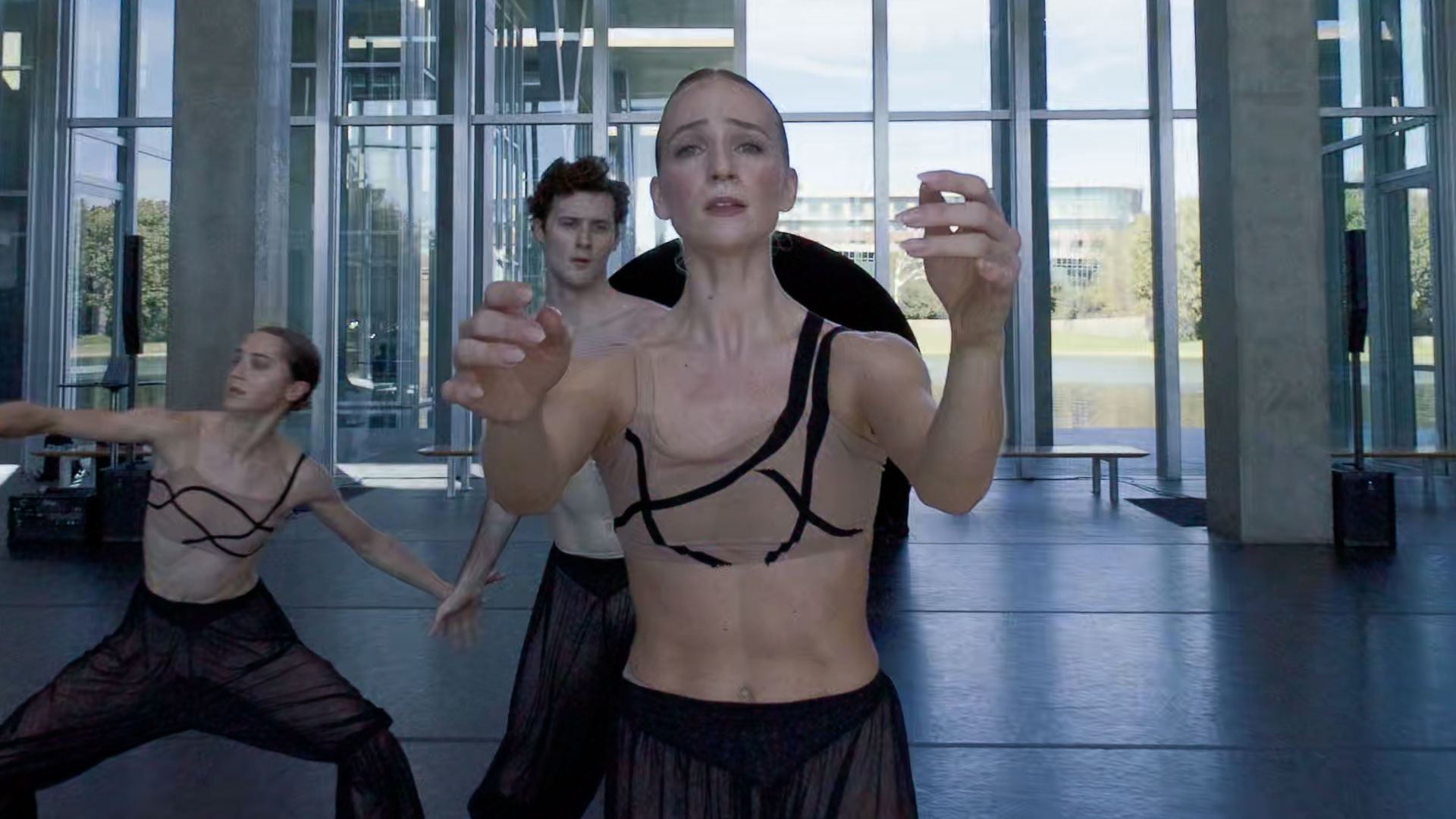
The project also aligned with our ongoing short-form series highlighting local art and cultural moments across the North Texas area. With its focus on perception, embodiment, and presence, Gazes, paired with the museum’s iconic architecture and natural light, offered an ideal opportunity to explore how immersive camera technology can preserve the intimacy of live dance.
About The Performance
Inspired by the exhibition Jenny Saville: The Anatomy of Painting, Gazes examines how bodies are seen, represented, and transformed across art history. Set to music by LEYA, featuring Marilu Donovan on harp and Adam Markiewicz on violin and voice, the ballet blends classical technique with contemporary movement to create a dialogue between painting, architecture, and performance.
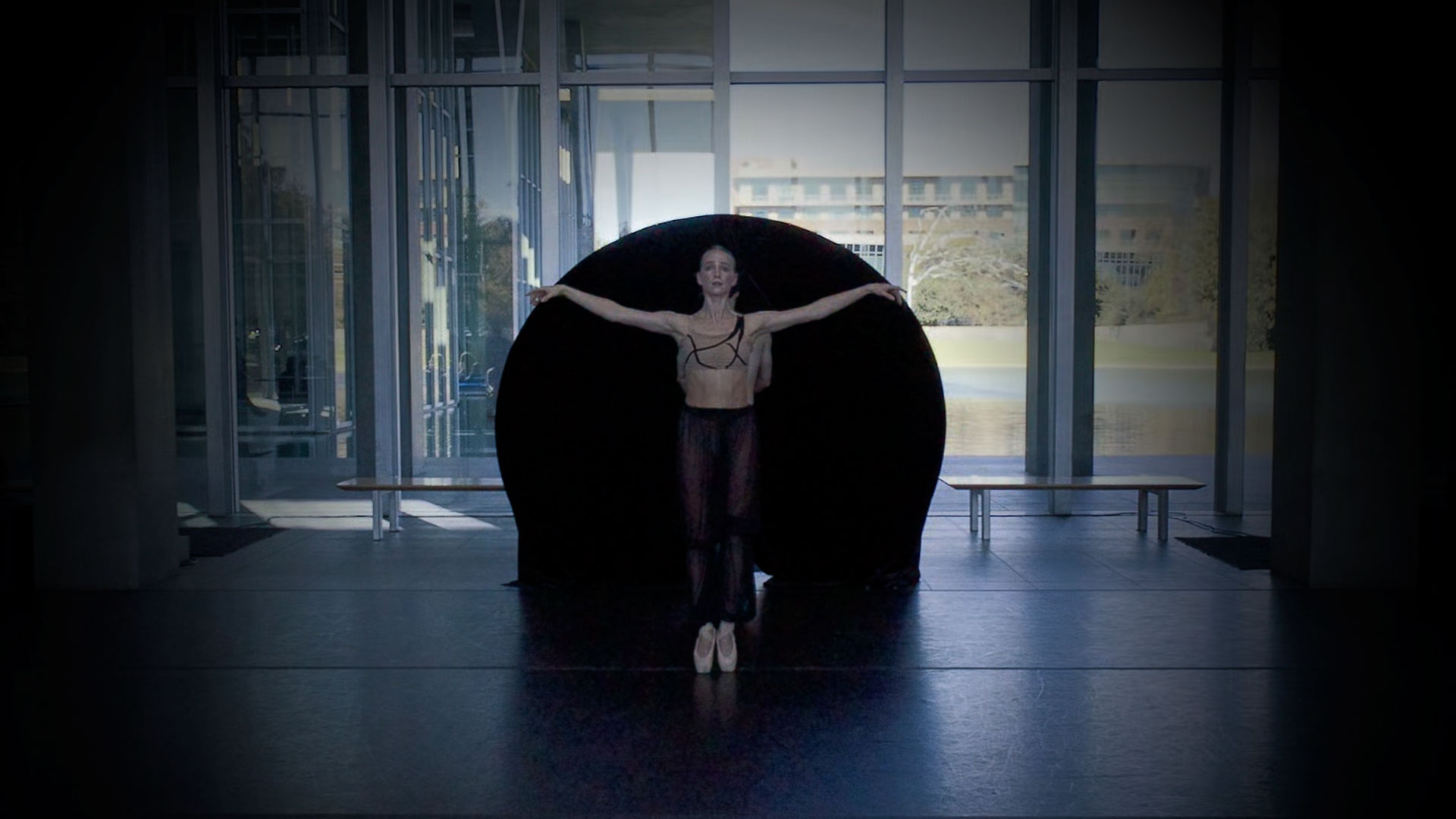
The choreography shifts between intimate gestures and powerful ensemble moments, highlighting both individual expression and collective force. Performed by Jackson Bayhi, Alexandria Diemoz, Jonathan Robbins, Zoe Schulte, and Hannah Wood, the work unfolded within the museum space itself, allowing audiences to experience the ballet from multiple vantage points. By taking place outside a traditional theater, Gazes invited both seasoned arts audiences and first-time viewers into a shared, accessible encounter.
Capturing The Museum Space
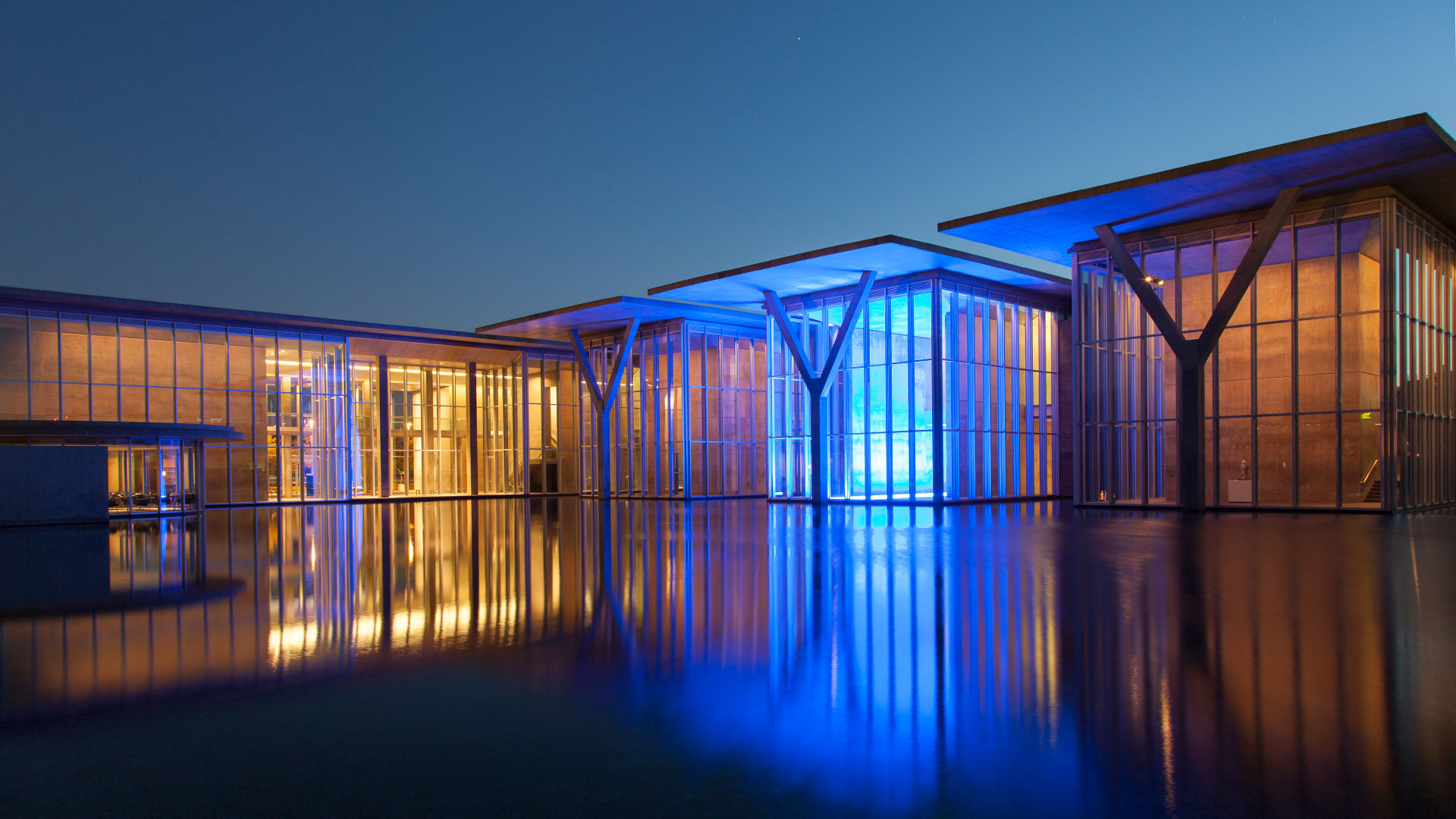
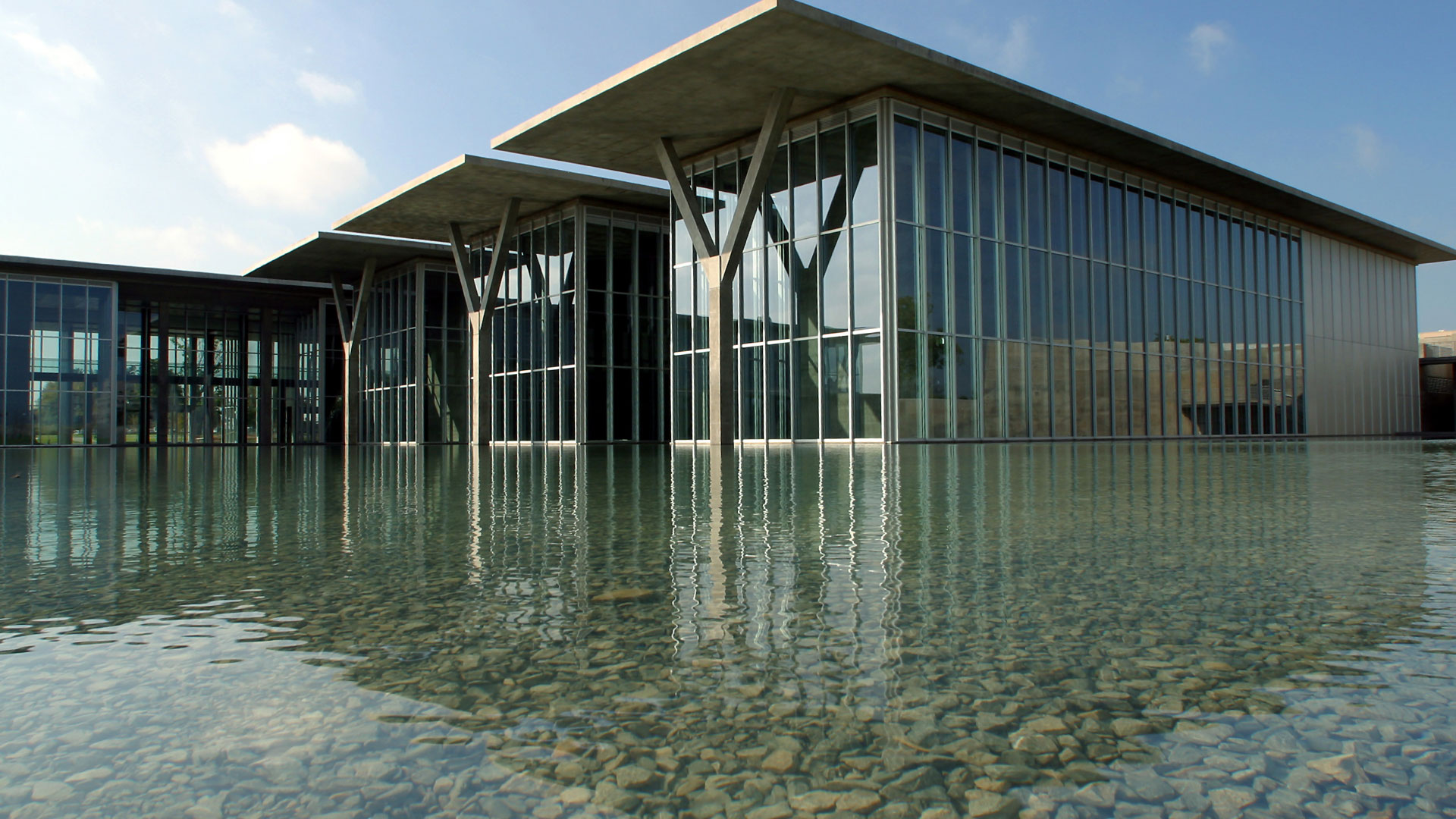
The Modern Art Museum of Fort Worth functioned as an active element of the performance. Its open layout, expansive glass walls, and interplay of natural and artificial light shaped how the dancers moved and how audiences observed. Photo courtesy Modern Art Museum of Fort Worth.
Filming within this environment required careful attention to scale, perspective, and spatial relationships. The goal was not simply to document the choreography, but to preserve the connection between the dancers, the audience, and the architecture. Photo courtesy Modern Art Museum of Fort Worth.
Creative Collaboration
The project was a close collaboration between our production team and the artists involved, driven by a shared interest in extending how dance can be experienced beyond a single live moment. Both Karim Youssef, Creative Director and Henry Casillas, Associate Creative Director worked with Choreographer Alexandra Light to capture the performance.
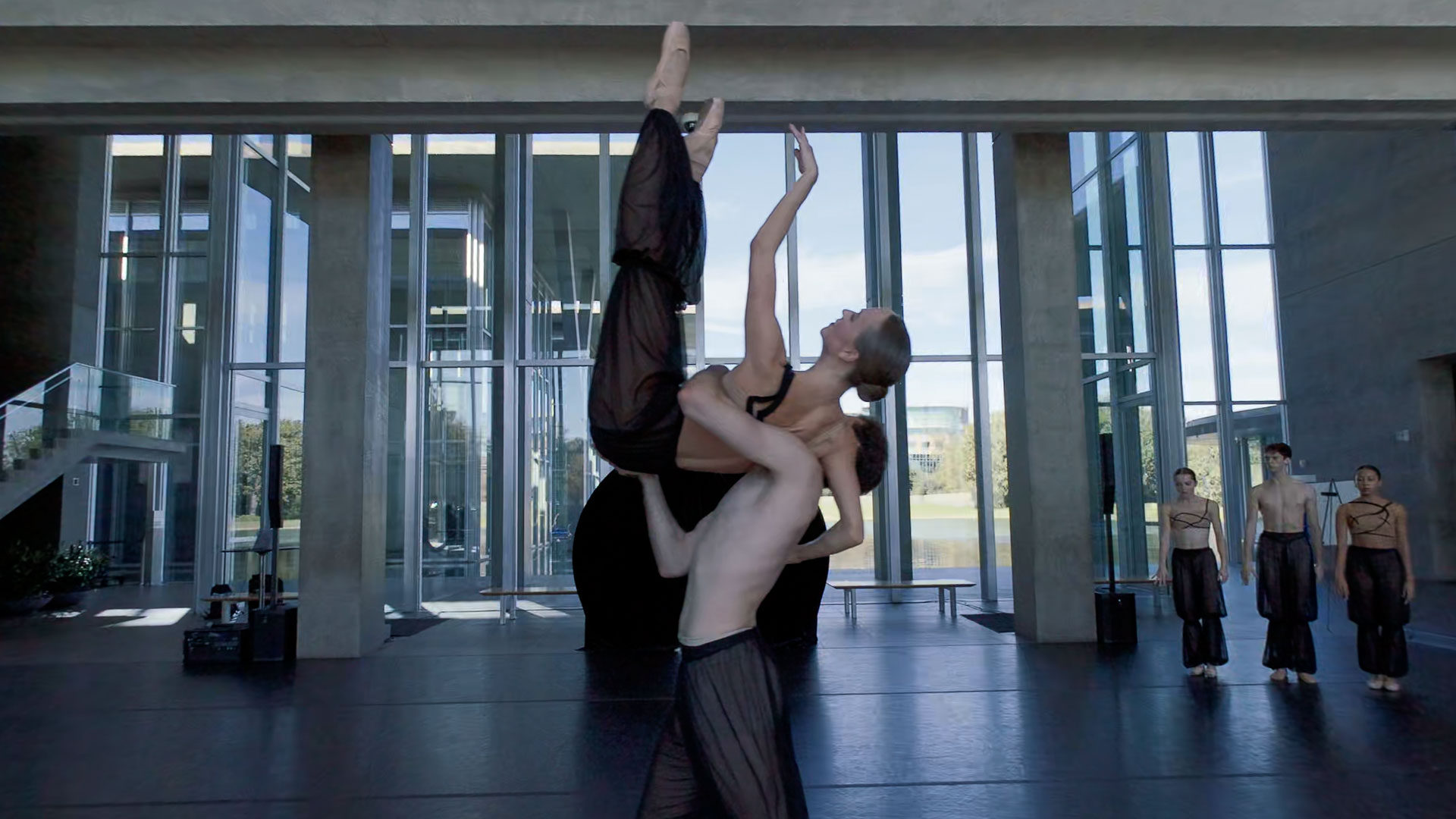
Alexandra reflected on the significance of creating and filming the work at The Modern: “Experiencing Gazes come to life at The Modern Art Museum of Fort Worth was incredibly meaningful for me. Creating work for that space has always felt deeply community-oriented, a chance to make choreography that lives in dialogue with both dedicated arts audiences and people encountering contemporary dance for the first time.”
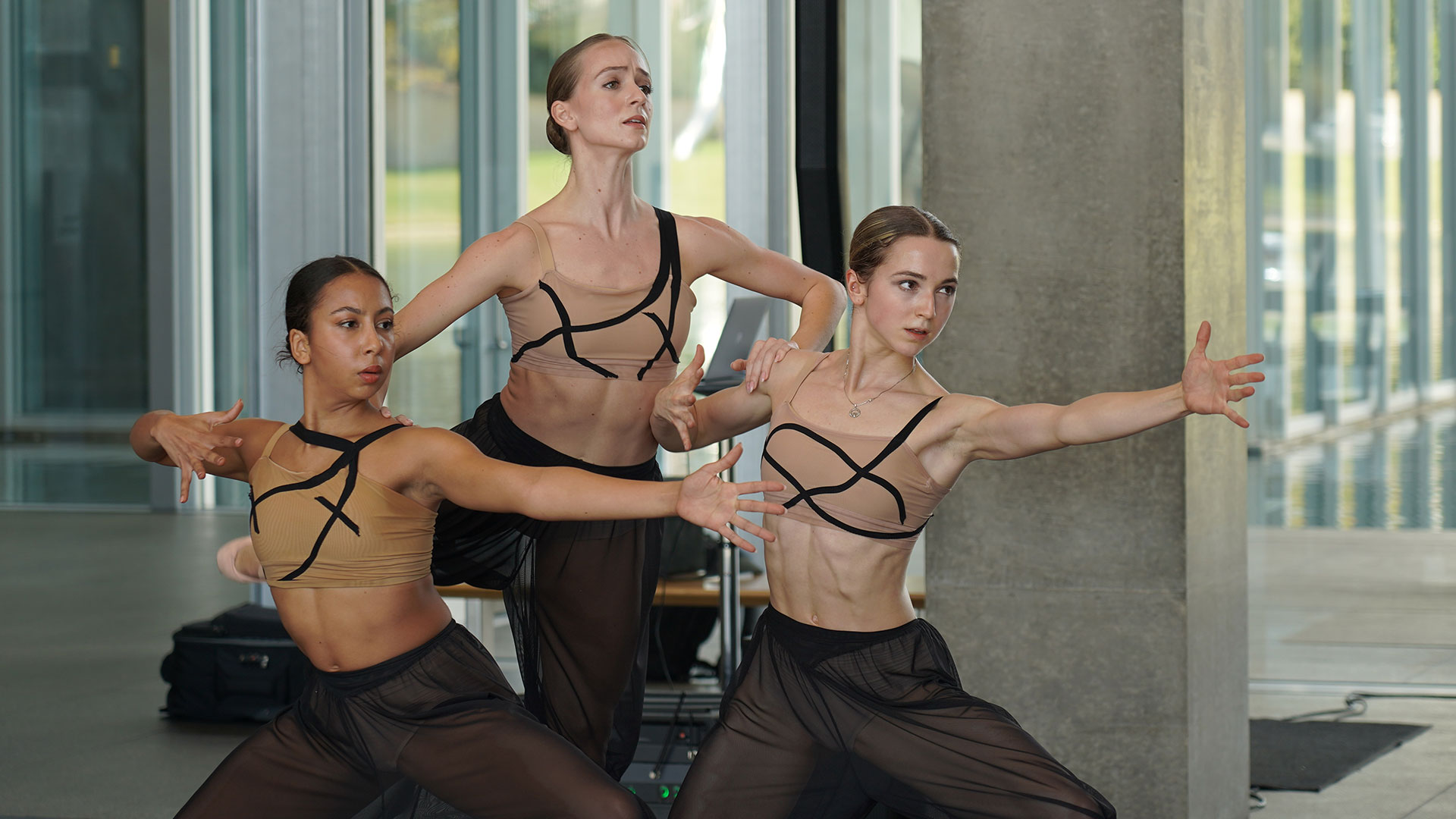
As an emerging choreographer transitioning from a long performance career, Alexandra views her work at The Modern as a form of public offering, expressive and rigorous while remaining open and accessible. Her experience at the Jacob’s Pillow ChoreoTech Lab further shaped this collaboration, expanding her view of technology as a creative partner rather than simple documentation.
“Seeing Gazes through the Apple Vision Pro at the Groove Jones Studio was honestly extraordinary. It was the first time I felt that the intimacy, spatial nuance, and physical presence of the dancers translated so fully through a technological medium.”
How We Shot and Edited
The museum’s abundant natural light allowed us to film without additional lighting, preserving the integrity of the space. The camera was positioned at the center of the seating area to create a stage-like, 180-degree perspective that places the viewer inside the performance.
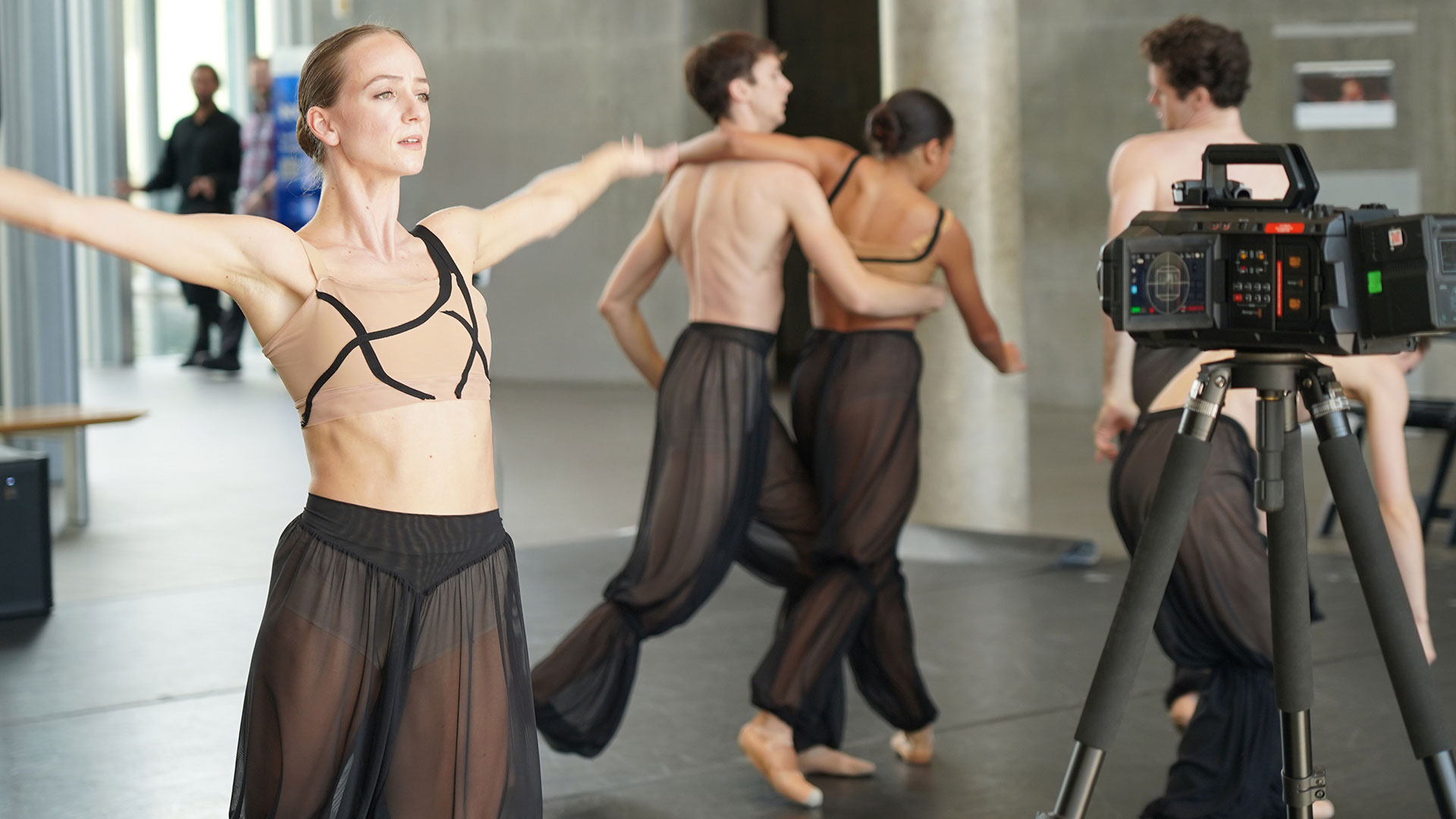
Set at a standing height, the camera aligned naturally with the dancers’ eye line, offering a slightly elevated vantage point that enhances immersion without disrupting movement. A brief rehearsal allowed the dancers to acclimate to the camera, and throughout the performance they occasionally engaged with it through movement and gaze, an intentional choice central to Gazes.
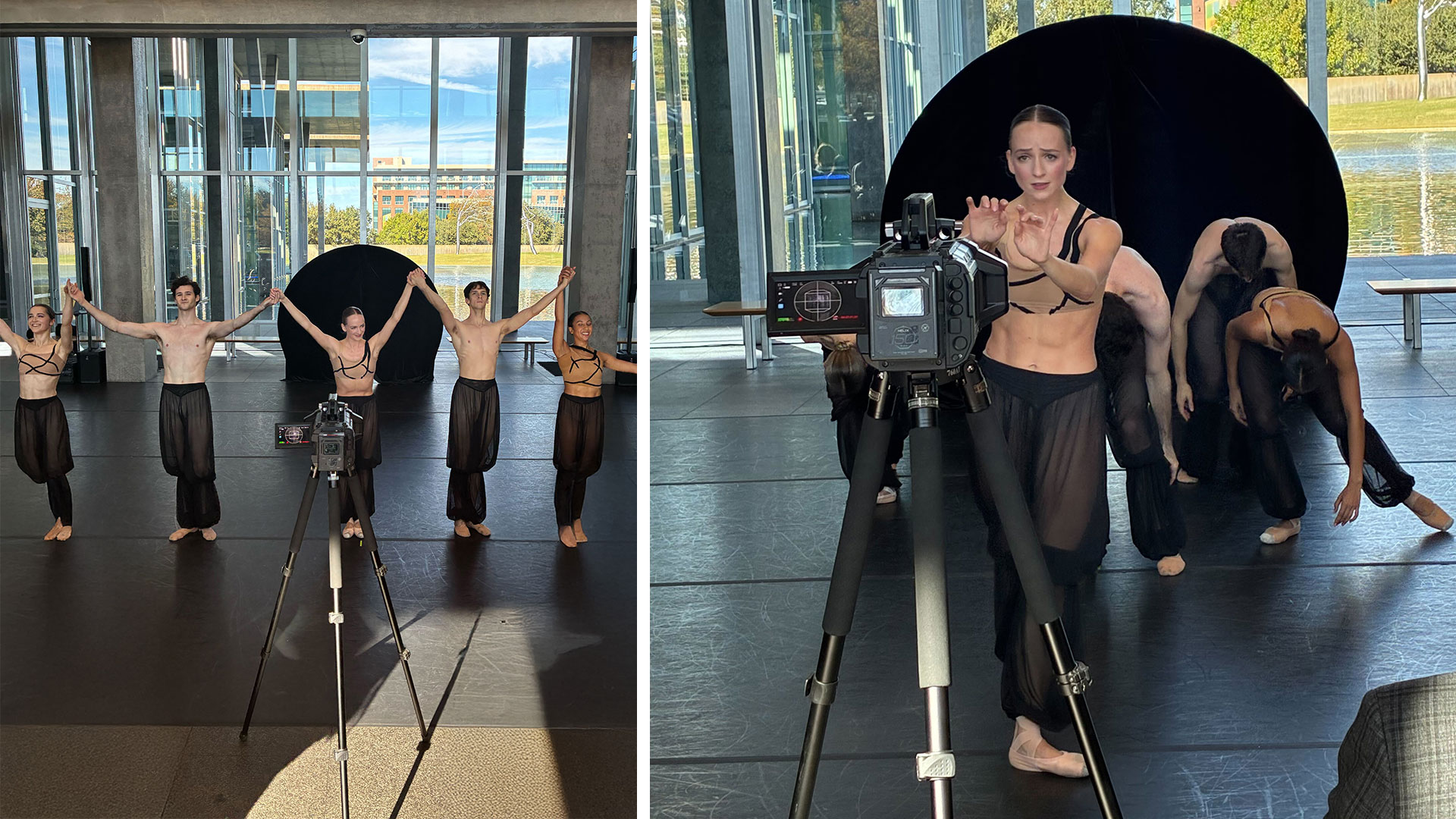
The entire performance was captured on a single card and battery, keeping the setup minimal and unobtrusive. Audio was provided after the performance, eliminating the need for microphones and allowing the filming process to remain invisible to both dancers and audience.
Shoot, Edit, Export: Simplifying Immersive Video for Apple Vision Pro
The Blackmagic URSA Cine Immersive streamlined the stereoscopic workflow, using metadata to carry information directly from the camera through DaVinci Resolve to Apple Vision Pro. A 2TB clip was ingested via Thunderbolt to a MacBook Pro M3 Max. Despite the 8160 × 7200 resolution, playback and editing remained smooth. The edit focused on shaping the emotional arc of the piece, selecting key choreographic moments and syncing them to a gradually building musical track.
Instead of baking effects into the footage, metadata-driven dissolves and vignettes were used to create smooth transitions and prevent motion discomfort. Final color was managed through a CST pipeline, mapping Blackmagic Gen 5 Film to a P3-D65 ST2084 output, tone-mapped to 108 nits. Using Apple’s Immersive Video Utility, the final result delivers a deeply intimate experience in which the dancers feel present and immediate.
The Outcome
The finished piece preserves the emotional weight, physicality, and spatial nuance of Gazes, allowing the ballet to be experienced beyond the museum while maintaining the immediacy of live performance. For the creative team, the project offered insight into how cinematic capture and spatial platforms can expand access to dance without diminishing its humanity.
Gazes at The Modern Art Museum of Fort Worth represents an intersection of ballet, architecture, and immersive capture technology. Filmed with the Blackmagic URSA Cine, the project explores how contemporary dance can be preserved and shared while honoring its intimacy, scale, and emotional depth. It reflects an ongoing commitment to using technology in service of art, creating experiences that invite curiosity and allow performance to live beyond a single moment.
Apple’s New Spatial Browsing
Immersive Videos Delivered via WebXR
Apple Vision Pro User? Now you can watch the Apple Immersive Video on Safari via Spatial Browsing and WebXR.
Since the best way to watch the video is on the Apple Vision Pro, device owners can now view it as it was intended to be as a full immersive experience. Groove Jones integrated the experience into a specially built Safari web page using new technology introduced by Apple that they call Spatial Browsing.

Spatial Browsing is a feature in the Safari app on the Apple Vision Pro that transforms standard web pages into an immersive “spatial experiences.” When you enable this feature, it dynamically rearranges web content in your physical space and enhances the visual elements around you. Users with an Apple Vision Pro that are running the latest VisionOS, can click on a link below to view the full immersive experience. For those of you who don’t have an Apple Vision Pro, the page will not load the video, but if you’re curious, this is what Spatial Browsing looks like for Vision Pro users. We have version of the video on YouTube below.
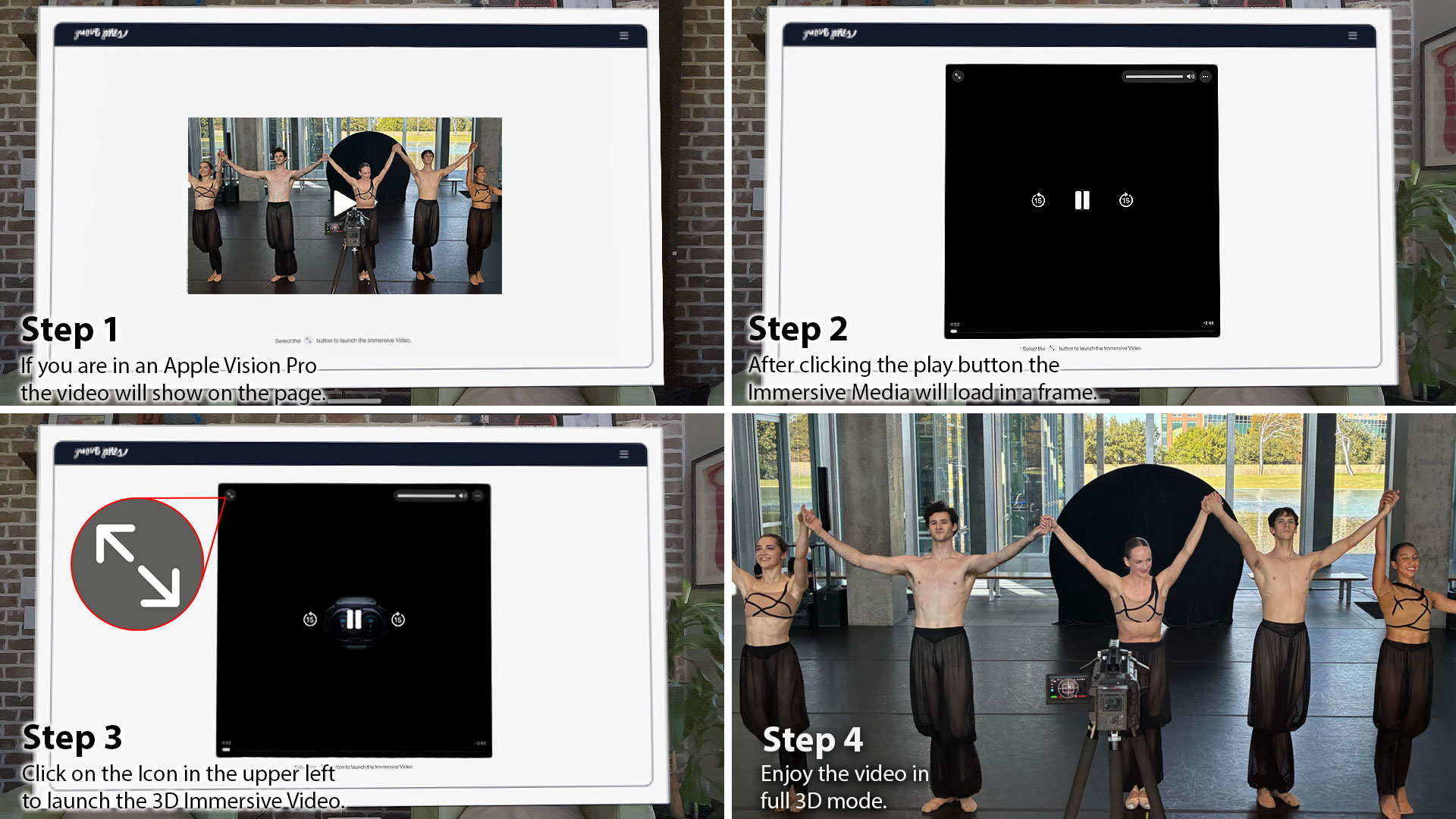
Vision Pro Users Watch the Teaser Trailer now in Your Safari Browser.
Safari Spatial Browsing Web Link https://www.groovejones.com/gazes
- Step 1: The page will load a web version of the video.
- Step 2: After tapping the Play Button on the video thumbnail it will load the Immersive Video.
- Step 3: Once the Immersive Video loads, click the icon in the upper left hand corner to launch full screen.
- Step 4: Enjoy the video.
Check Out the Teaser Trailer Video on YouTube
We created multiple versions of the video to be playable on different platforms and owned media channels. Our GrooveTech Media Server accounts for the HDR color space of the Apple Immersive format, so this version has been updated to account for YouTube’s color spectrum capabilities, which is much less. On YouTube, you can see the 180º video below via the web on your desktop or mobile device.
The Orchestrator Platform for Demonstrating Immersive Media on APVs
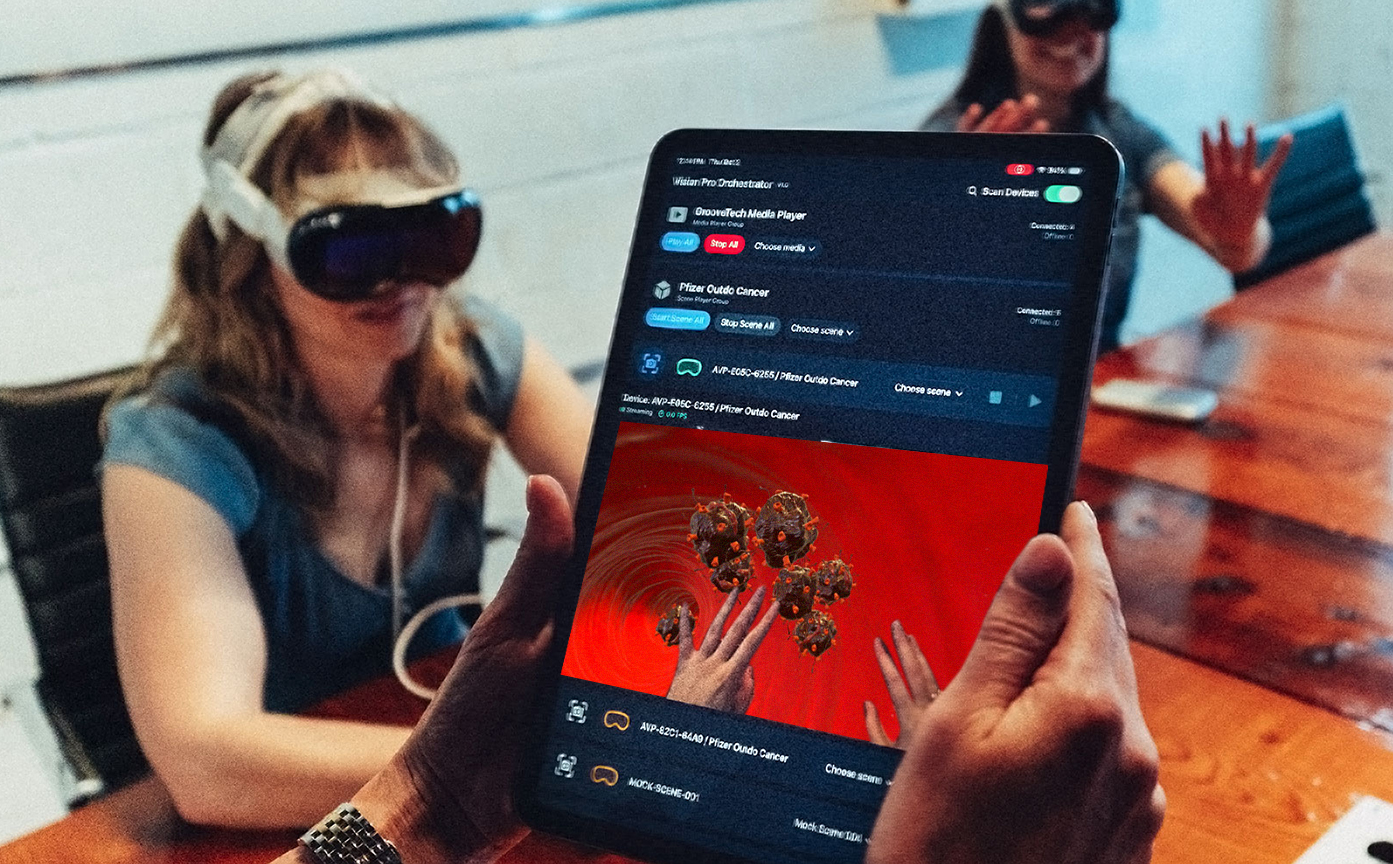
Spatial computing becomes far more powerful when it can be shared. The Orchestrator Platform makes that possible by giving teams a way to deliver synchronized experiences across many Apple Vision Pro headsets with simple, centralized control. It removes friction, eliminates setup headaches, and provides a secure pathway for training, simulation, broadcast review, and executive presentations. Designed for individual and group training, live events, brand activations, and enterprise-scale deployments, these products work together to give product managers, trainers, and producers unprecedented control over how audiences engage with immersive media.
Most immersive tools are built for a single user. Enterprise teams, training providers, marketing and government agencies need something different. They need a way to move many people through content quickly, without wrestling with calibration steps or device menus. They need a system that survives hardened networks, disconnects, and real world chaos. Orchestrator is built for those environments. It has already passed corporate IT security reviews without modification. It has been tested with multi device groups where reliability and repeatability were essential. And it gives operators full confidence that everyone in the room is seeing the same thing at the same moment.
Learn about The Orchestrator Platform and how you can use it for your next AVP demo or deployment – https://www.groovejones.com/orchestrator-platform-apple-vision-pro